Riverdale Foundation Community Directory
Sign Up
Here are the instructions to sign up for the Riverdale Foundation Community Directory.
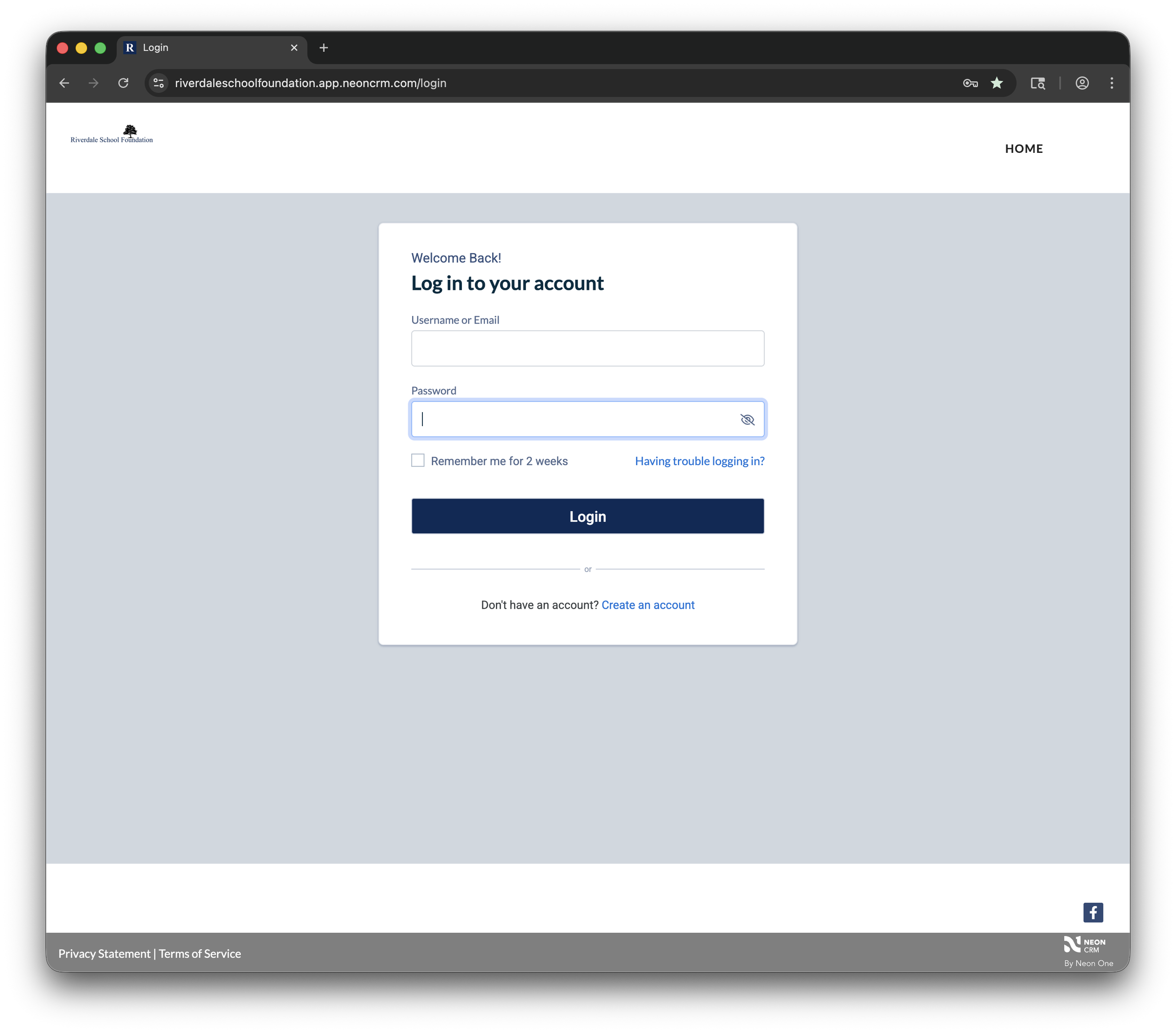
Step 2: Register
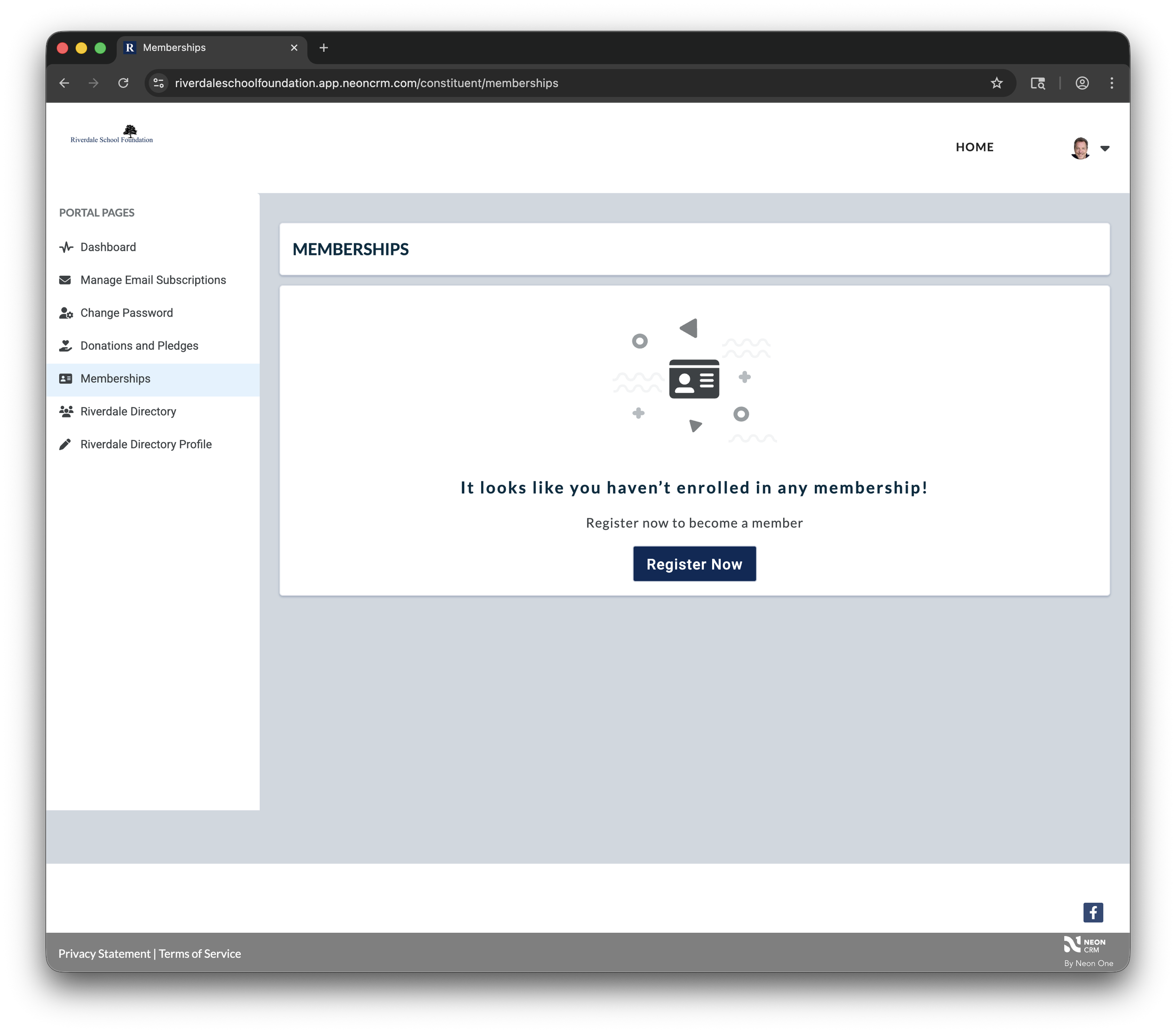
Click Memberships on the left side
Click the “Register Now” button.
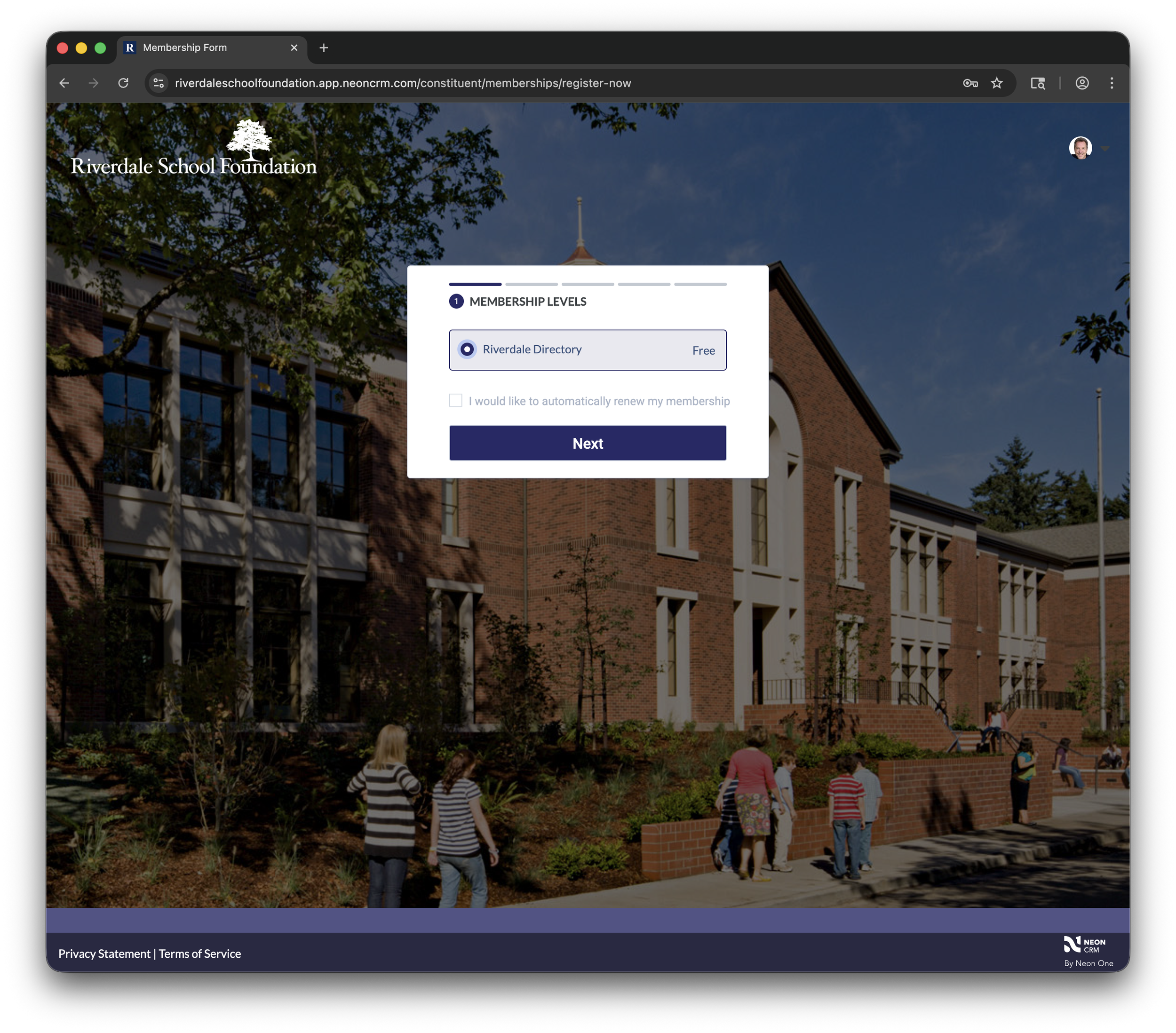
Step 3: Choose the Directory
Click the dot next to “Riverdale Directory”.
Click the “Next” button.
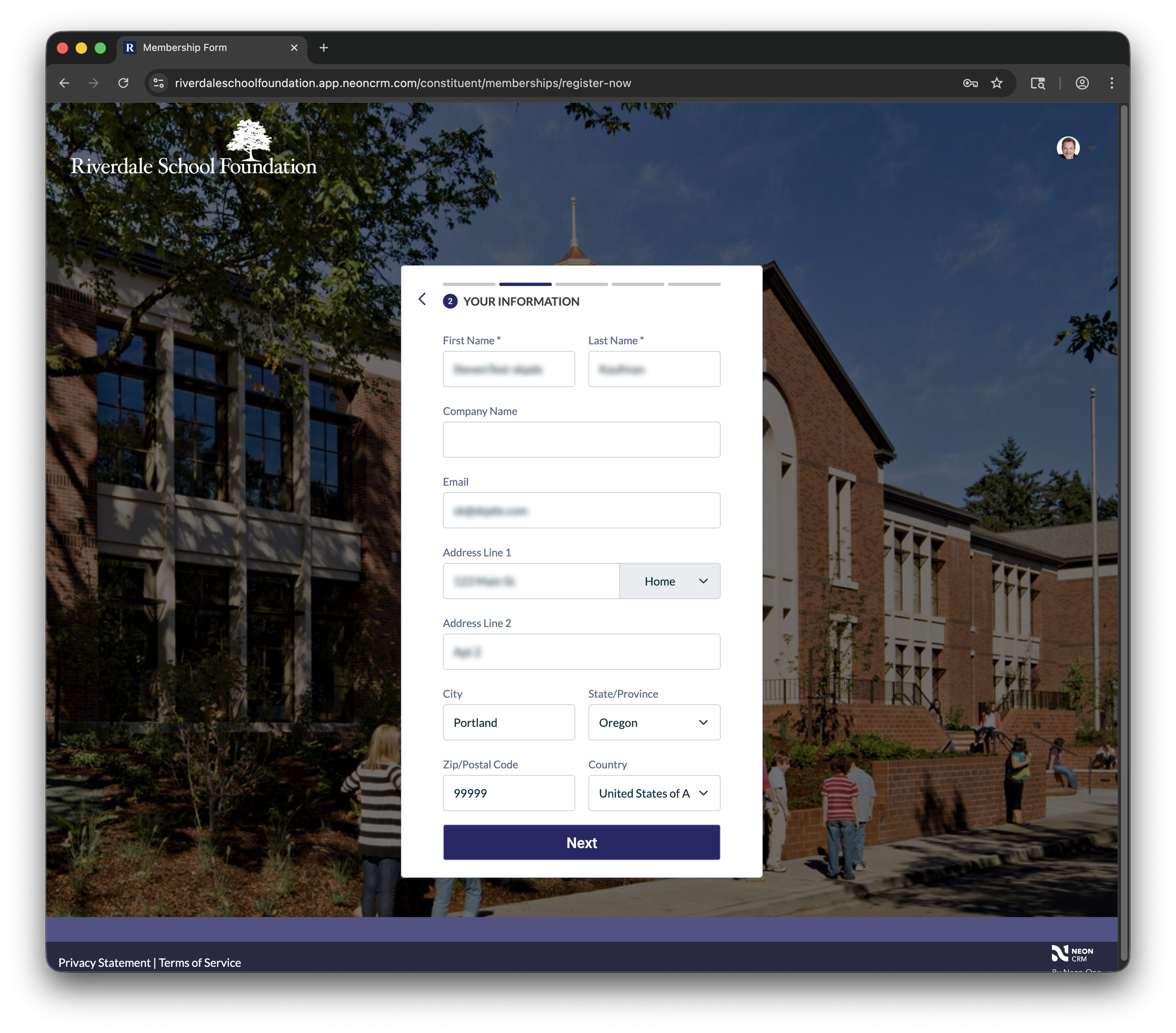
Step 4: Verify
Verify the information in the sign-up form.
Click the “Next” button.
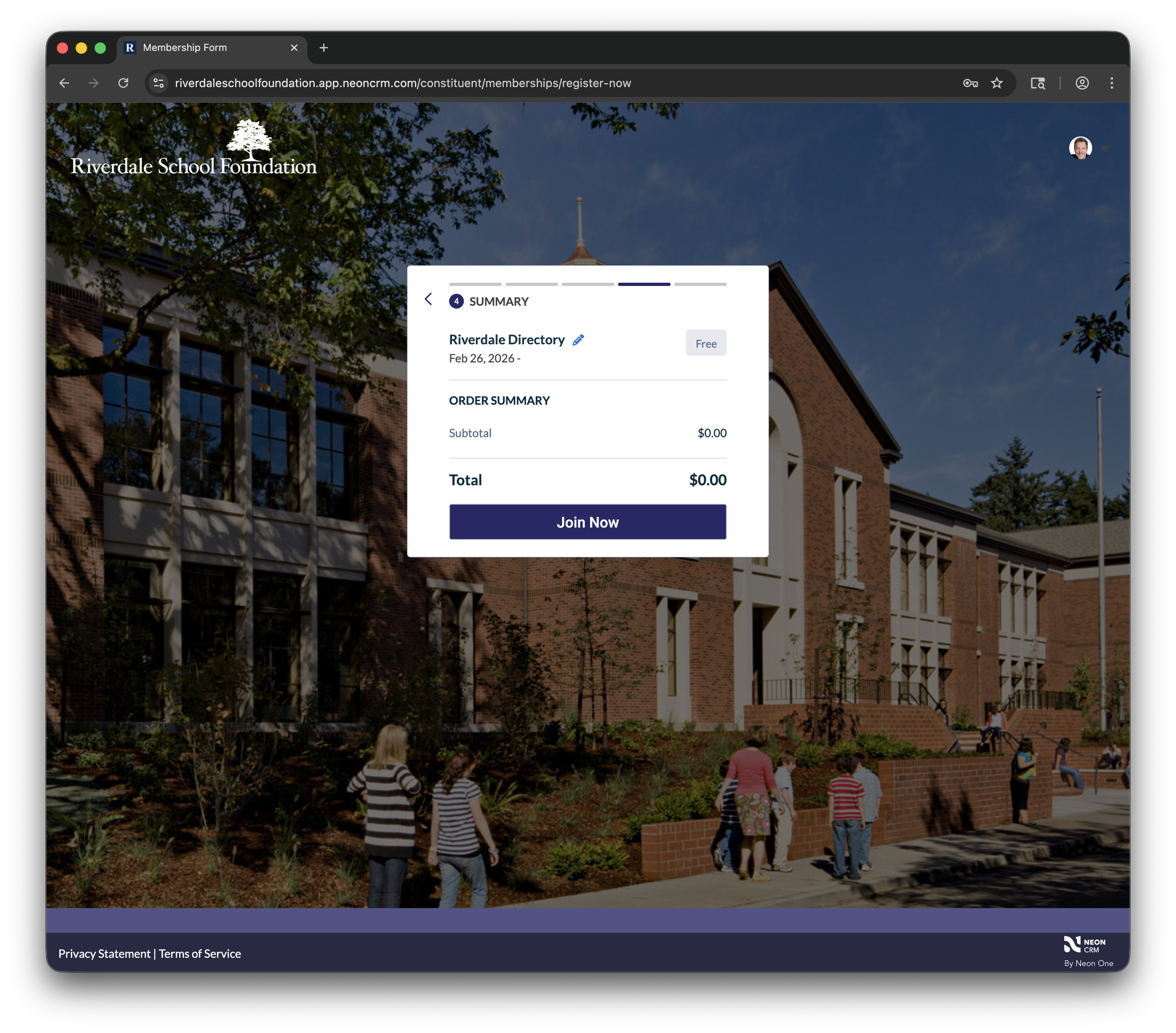
Step 5: Join
Click the “Join Now” button.
(Ignore the information about cost. This is the way the software is designed).
Step 6: Success!
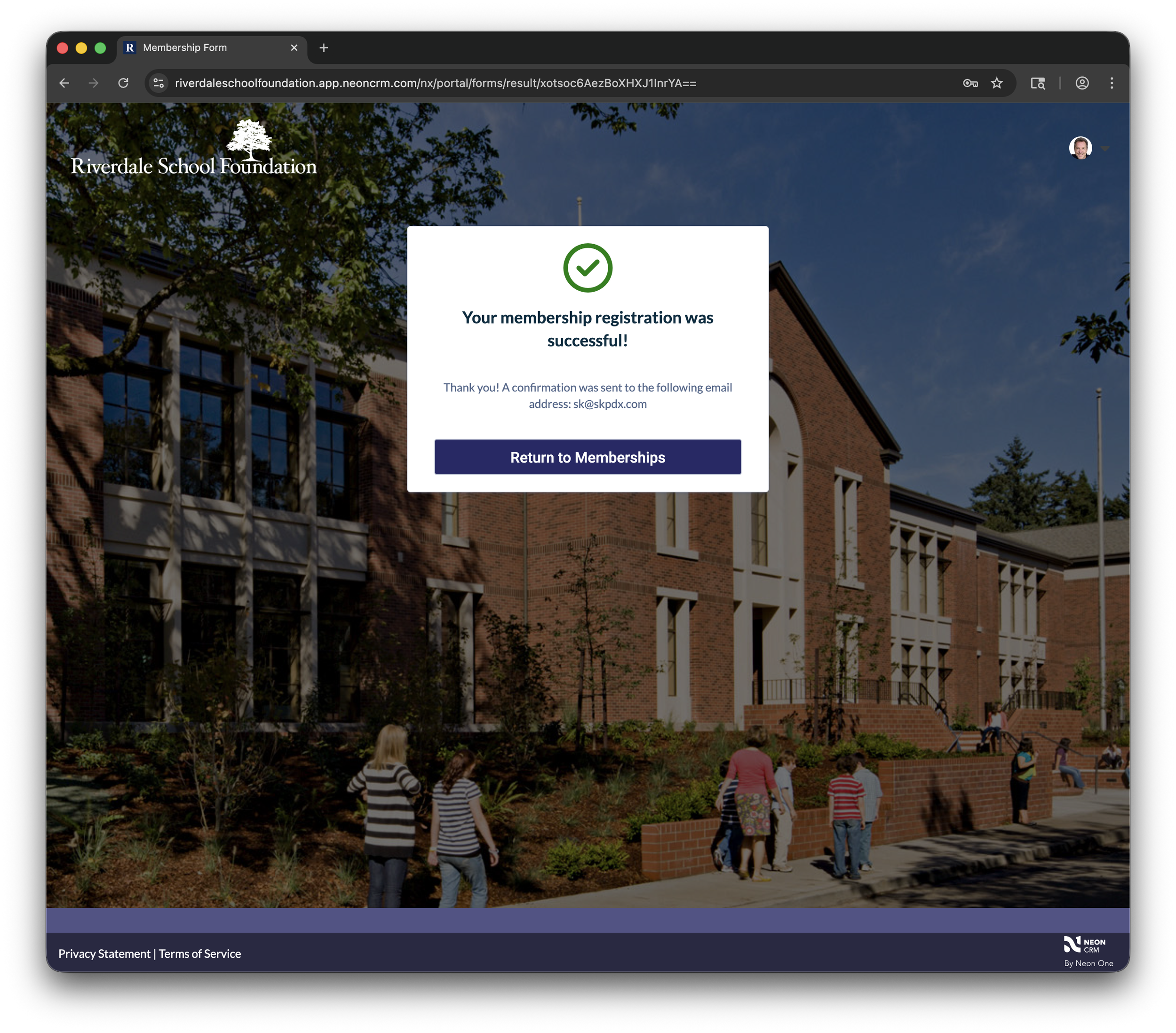
You’l see the success message.
Click the “Return to Memberships” button to return to the portal.
You’ll receive an email confirming your directory sign-up. There is a link the email that explains how to navigate the directory. You can also find those instructions by clicking here.